

Types of maintenance
In rare cases, such as a critical security vulnerability, we may need to restart outside your maintenance window or with less than 7 days’ notice.
Change your maintenance window
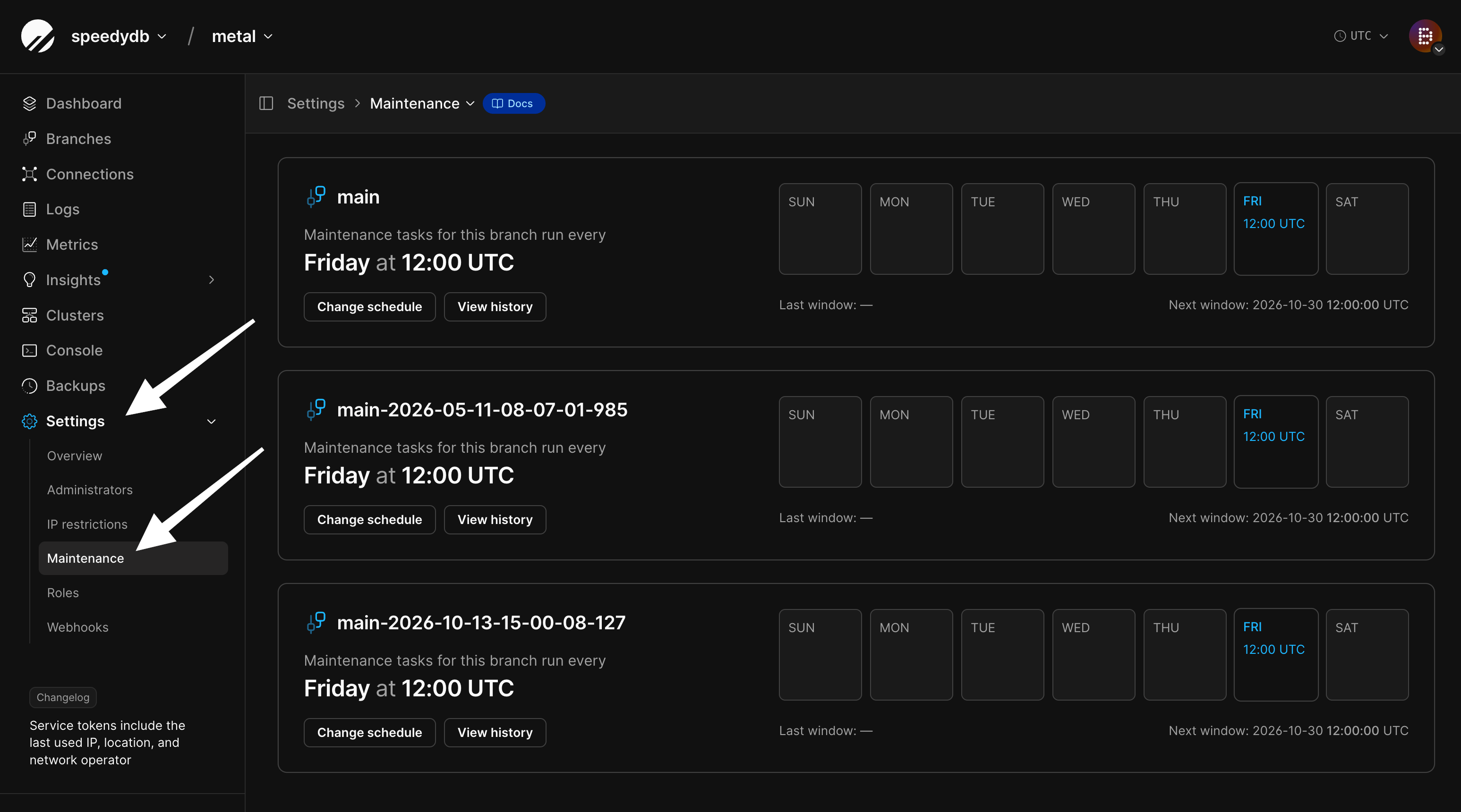
Every production branch gets a maintenance window in UTC when it’s created, and the dashboard also shows it in your local time zone.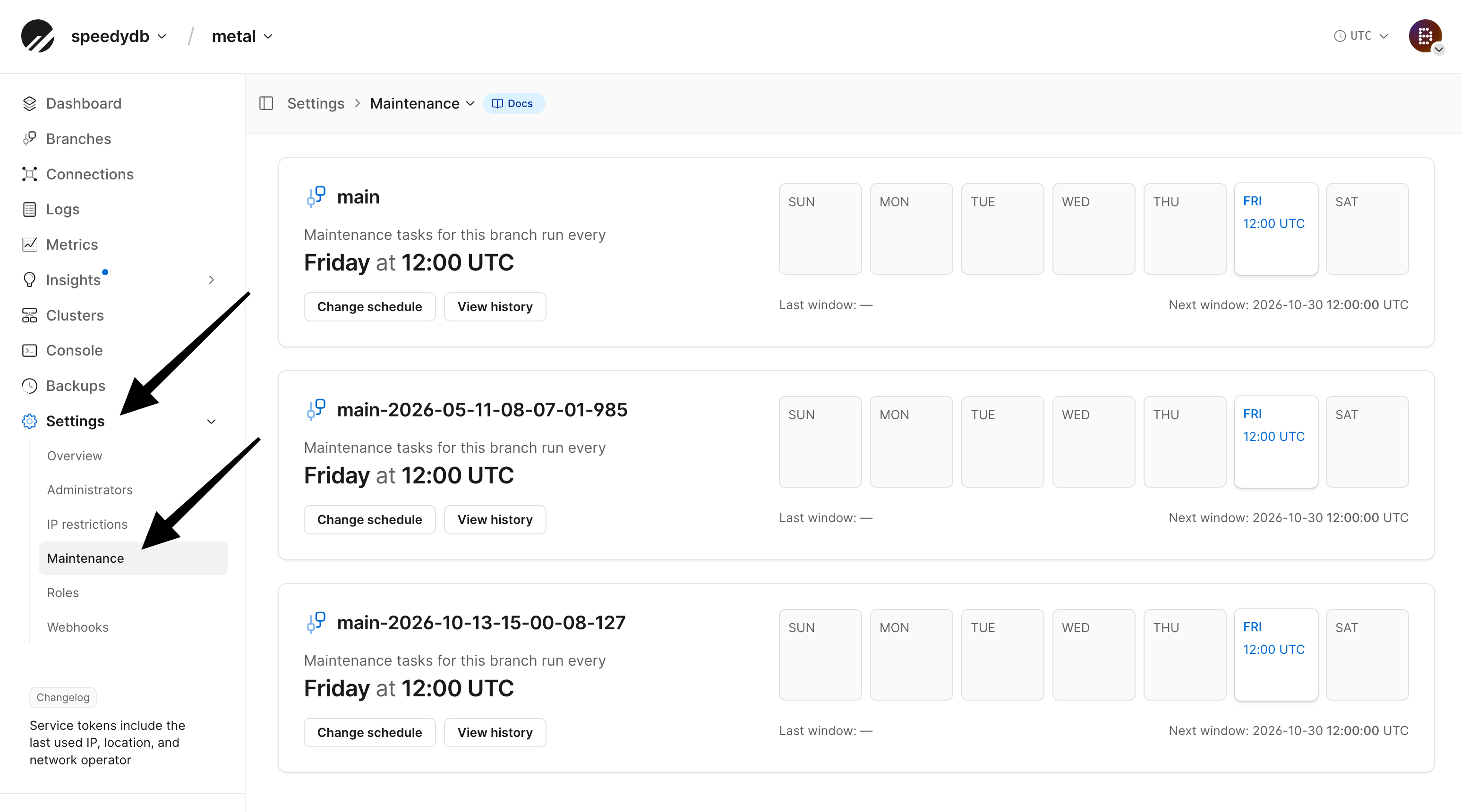
1
From the PlanetScale dashboard, select your database.
2
Open Settings, then select Maintenance.
3
Find the production branch and select Change schedule.
4
Choose the day of the week and the hour in UTC. The window lasts two hours.
5
Select Save.
Restart-required maintenance
We email your database administrators and send webhooks at each of the below steps. Each notice includes information about what’s changing, why, what to expect, and the deadline.
Maintenance starts within 10 minutes after your window’s start time. Most maintenance finishes well within the window, but in rare cases it can run past the end.
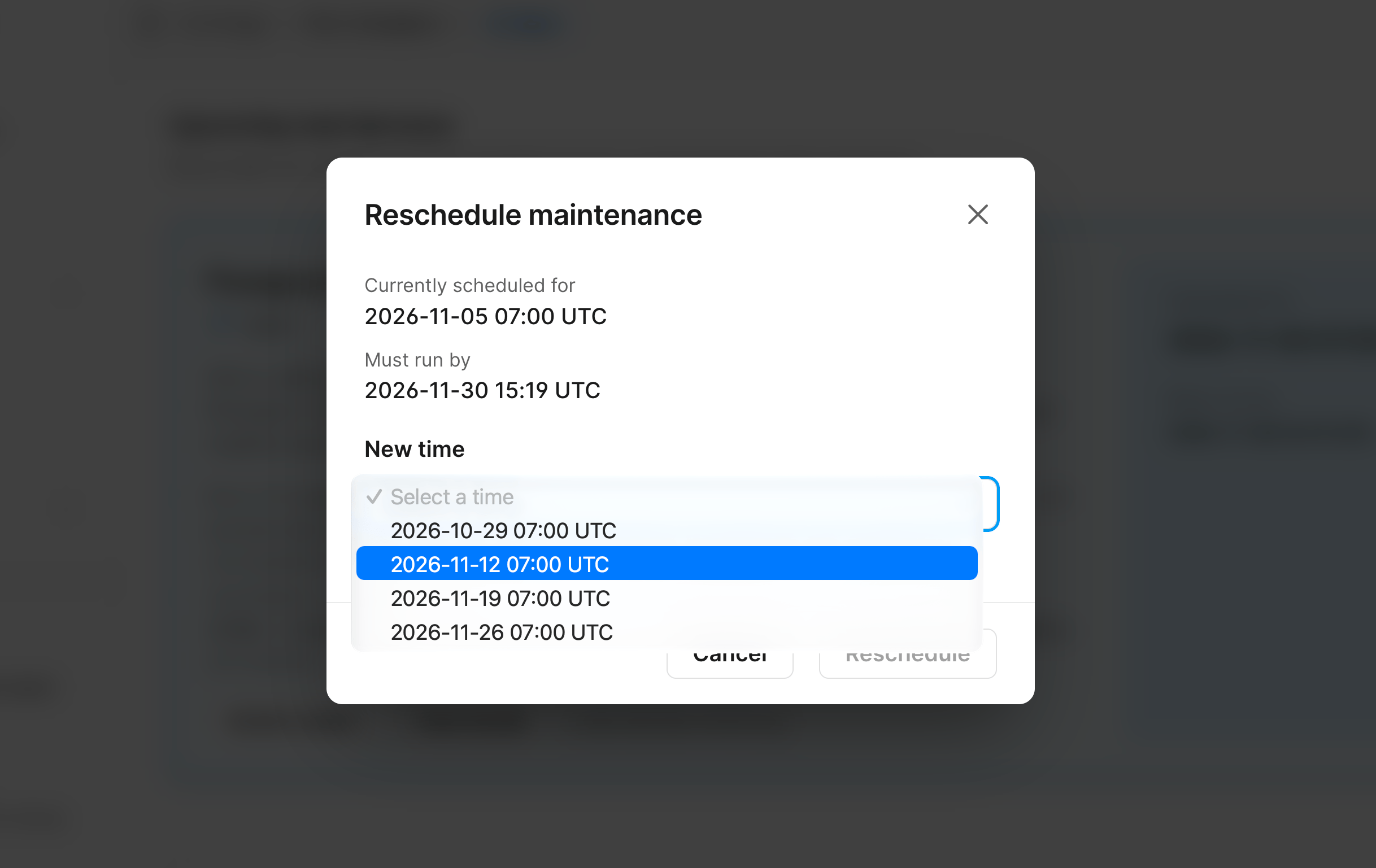
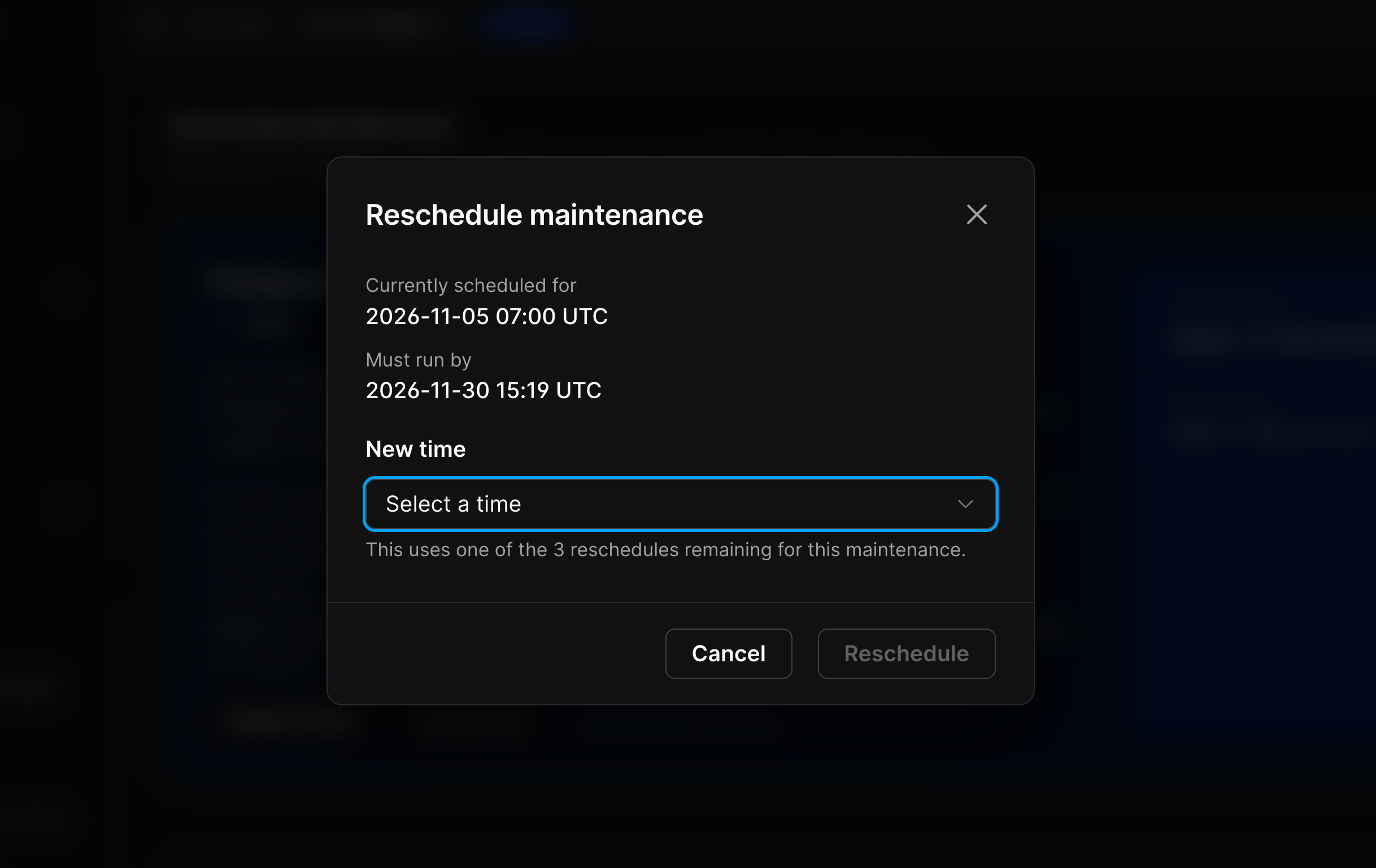
Reschedule maintenance
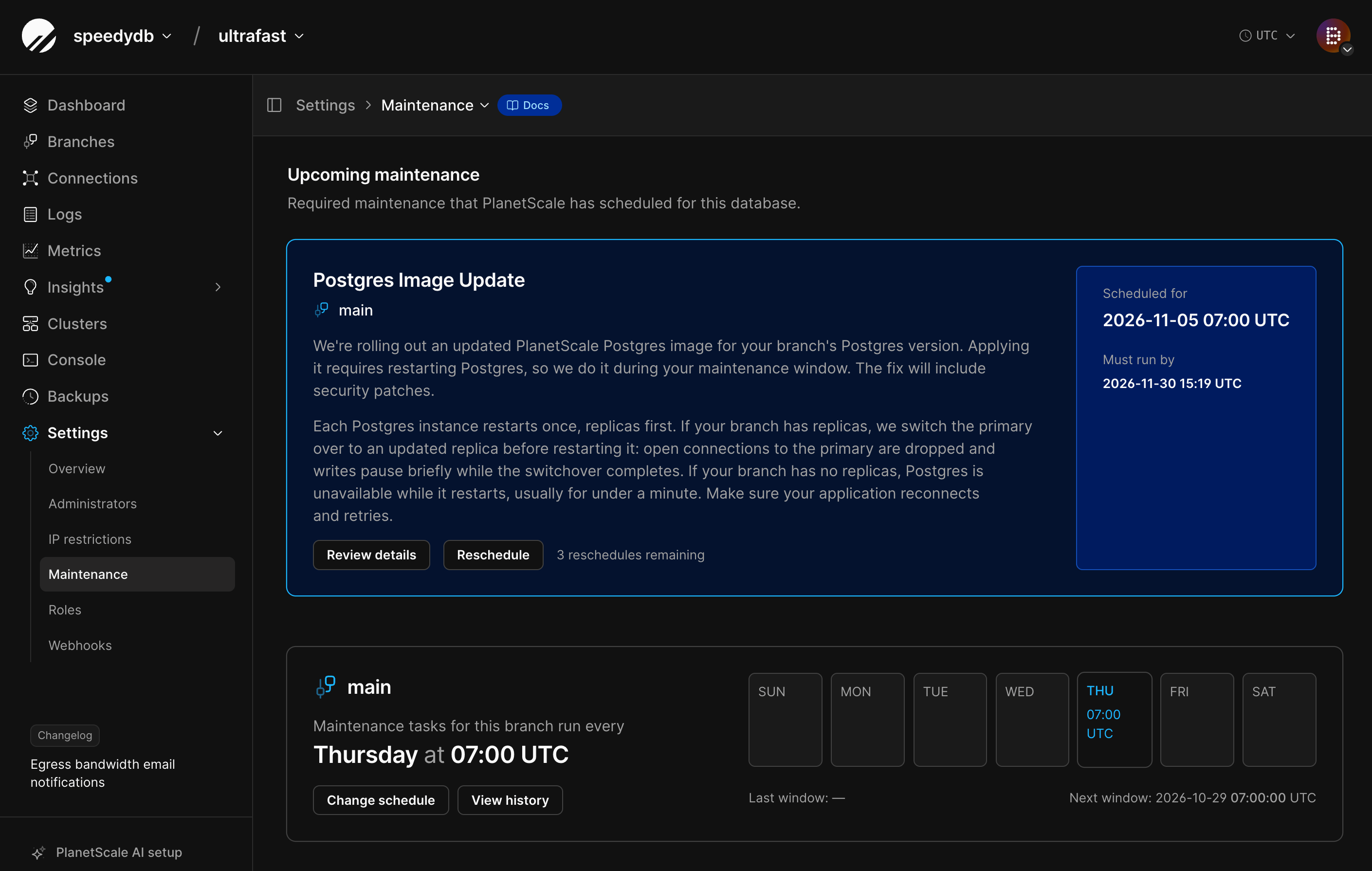
Each email links to the maintenance event in your dashboard. You can also find scheduled events under Settings > Maintenance.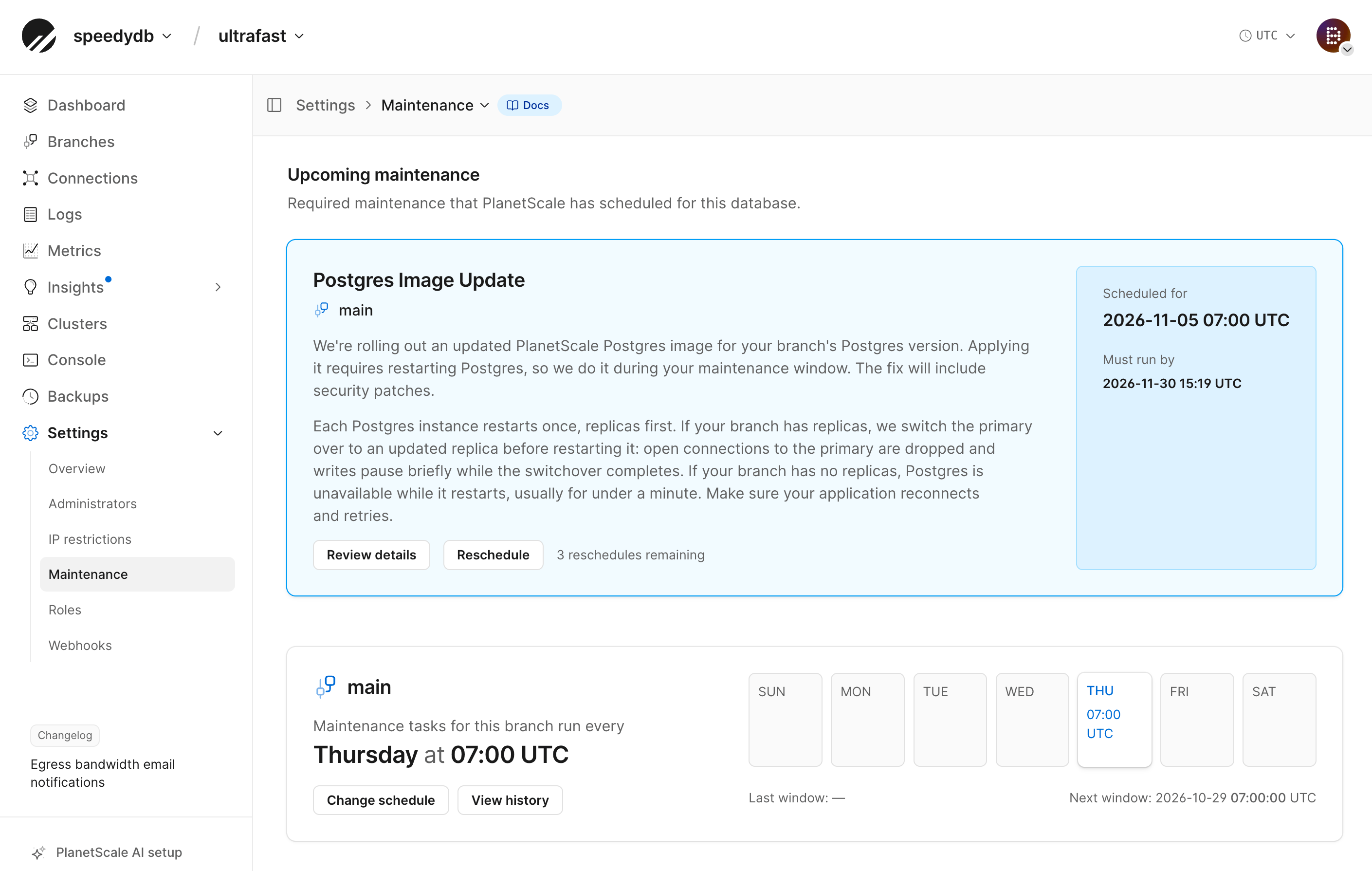
Apply the update yourself
If you don’t want to wait for your window, apply the update from the Clusters page. When your window opens there’s nothing left to change, so the maintenance completes without a restart.What happens during the restart
Each Postgres instance restarts once, replicas first. If your branch has replicas, we switch the primary over to an updated replica before restarting it, and writes pause briefly while the switchover completes. If your branch has no replicas, Postgres is unavailable while it restarts, usually for under a minute.Reduce the impact of a restart
The impact of a Postgres restart to your clients depends on how they are connected:- A dedicated primary PgBouncer. Client connections stay open through planned switchovers, and queries wait briefly instead of failing. See dedicated primary PgBouncers.
- Reconnect and retry. A restart closes connections made directly to Postgres or through the local PgBouncer. Make sure your application reconnects and retries.
Webhooks
Subscribe to these webhook events to get the same notices programmatically:maintenance.scheduledmaintenance.startedmaintenance.completedmaintenance.failedmaintenance.canceled
API
- List maintenance events
- Get a maintenance event
- Reschedule a maintenance event
- Get a maintenance schedule
- Update a maintenance schedule
- List maintenance windows