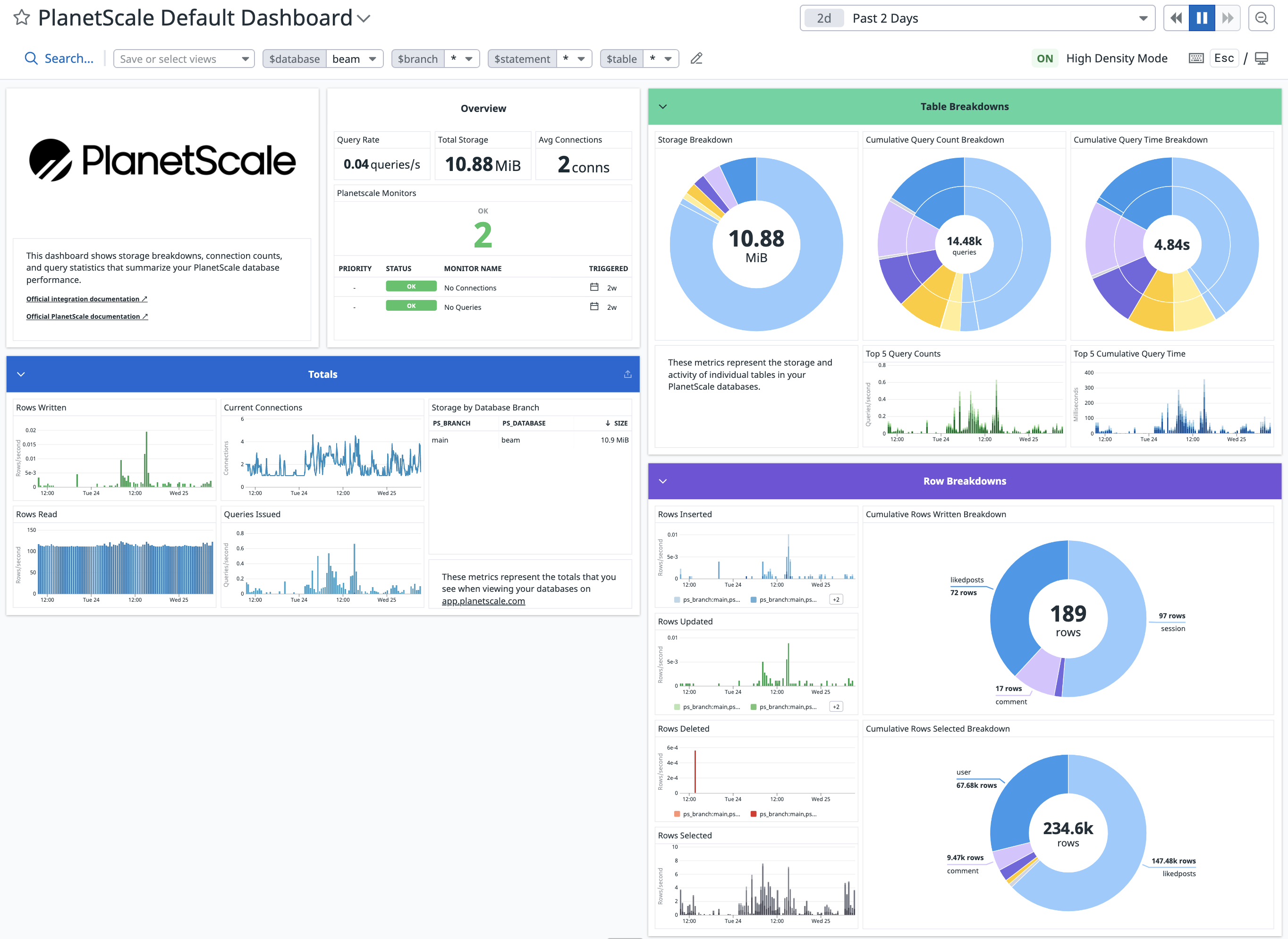
| planetscale.connections | gauge | Number of active connections to a database branch. Shown as connection. |
| planetscale.primary.cpu_usage | gauge | Percentage of CPU utilized on a database branch’s primary. Shown as percent. |
| planetscale.primary.memory_usage | gauge | Percentage of memory utilized on a database branch’s primary. Shown as percent. |
| planetscale.queries.latency | gauge | Query times in the p50, p95, p99 and p999 percentiles. Shown as millisecond. |
| planetscale.replication_lag | gauge | Replication lag in seconds between a database branch’s primary and each replica. Shown as second. |
| planetscale.rows_read | count | Number of rows read from a database branch. Shown as row. |
| planetscale.rows_written | count | Number of rows written to a database branch. Shown as row. |
| planetscale.tables.cumulative_query_time | count | Cumulative active query time in a database branch, by table and statement. Shown as nanosecond. |
| planetscale.tables.queries | count | Number of queries issued to a database branch, by table and statement. Shown as query. |
| planetscale.tables.rows_deleted | count | Number of rows deleted from a database branch, by table. Shown as row. |
| planetscale.tables.rows_inserted | count | Number of rows inserted into a database branch, by table. Shown as row. |
| planetscale.tables.rows_selected | count | Number of rows selected in a database branch, by table. Shown as row. |
| planetscale.tables.rows_updated | count | Number of rows updated in a database branch, by table. Shown as row. |
| planetscale.tables.storage | gauge | Total bytes stored in a database branch, by table. Shown as byte. |
| planetscale.vtgate.errors | count | Number of errors encountered by a database branch’s vtgate. Shown as error. |
| planetscale.vttablet.mem_util.max | gauge | Maximum memory utilization of a database branch’s vttablet. Shown as percent. |
| planetscale.vttablet.mem_util.avg | gauge | Average memory utilization of a database branch’s vttablet. Shown as percent. |
| planetscale.vttablet.iops | gauge | Number of IOPS performed by a database branch’s vttablet. Shown as operation. |